Speaker First Aid for iPhone

Muffled speaker after water? Clear it free.

Water Eject plays a short, timed tone through your iPhone speaker to push water out of the grille. Then a speaker test tells you whether the sound is back.

Coming soon to the App Store How Water Eject works

Water Eject is free and never locked · No subscription · No ads

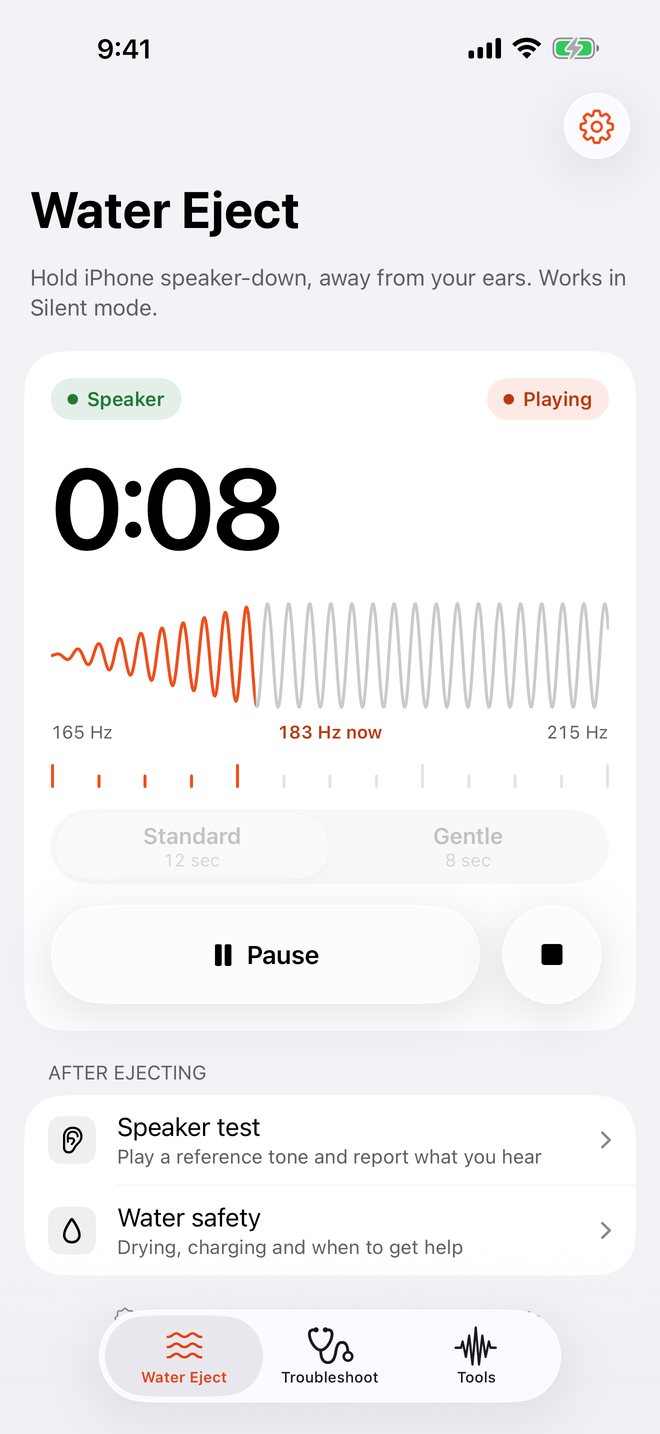
Water Eject playing a 165 to 215 hertz tone, 8 seconds remaining

Everything for a wet or muffled speaker

Start with Water Eject, hear the result with the speaker test, and follow step-by-step help if something still sounds wrong.

Water Eject Free

A speaker cleaner without the paywall. Standard and Gentle tones, a run counter, and it works in Silent mode. Stop any time.

Speaker test Free

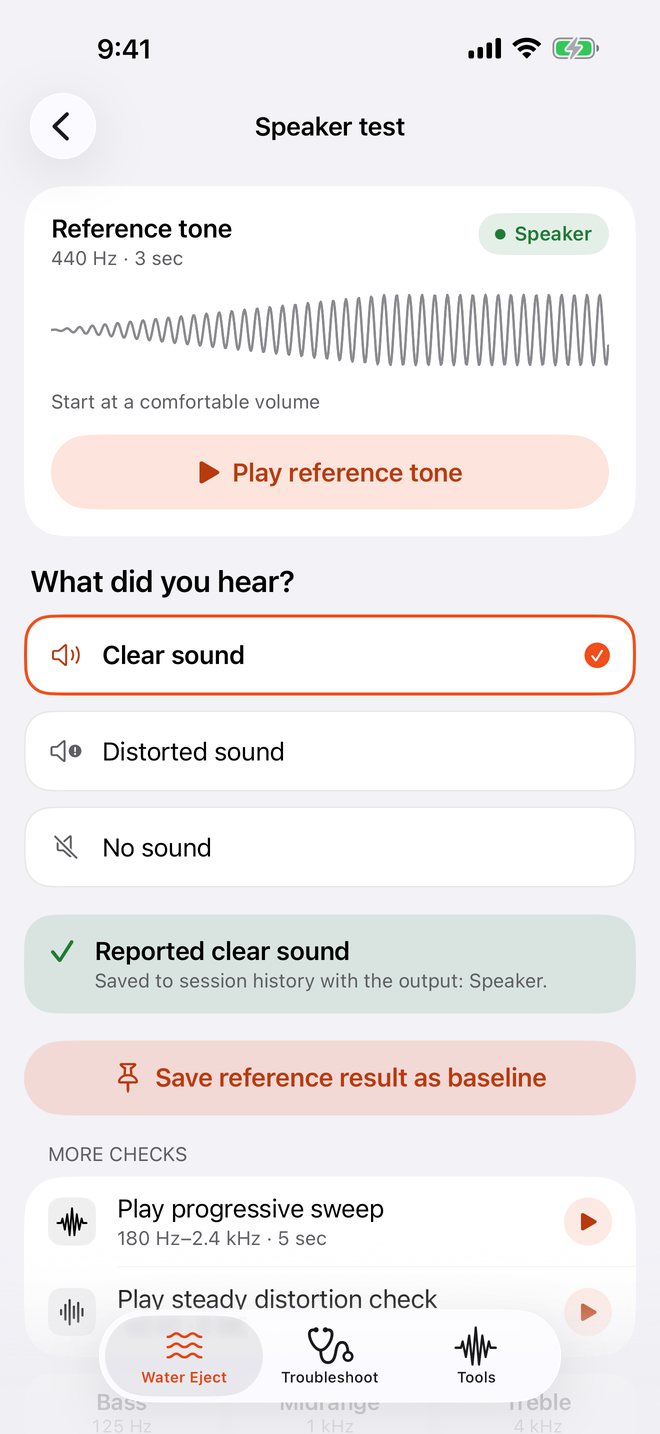
Play a reference tone and pick what you heard: clear, distorted or no sound. Results are saved, so you can compare before and after drying.

Fix muffled sound Free

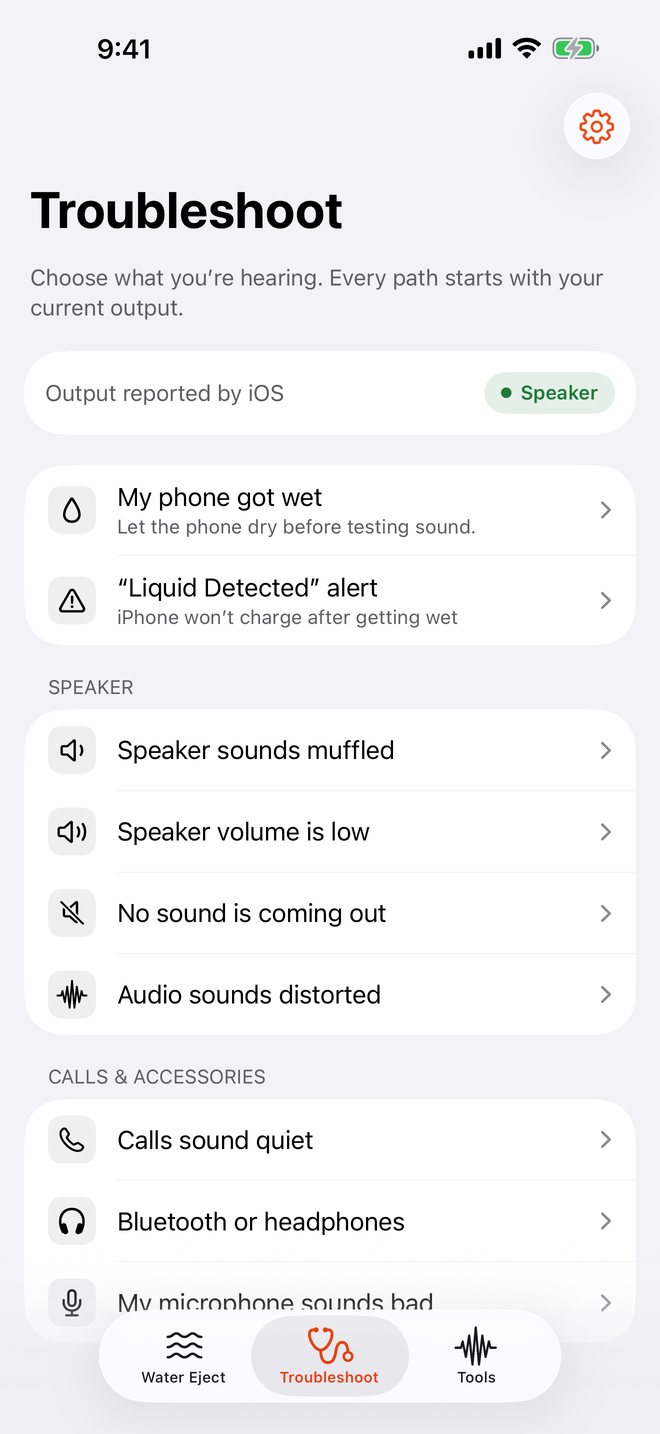
Guides for muffled, quiet, silent or distorted sound, quiet calls, Bluetooth and the microphone. Each one starts with the output iOS is really using.

“Liquid Detected” help Free

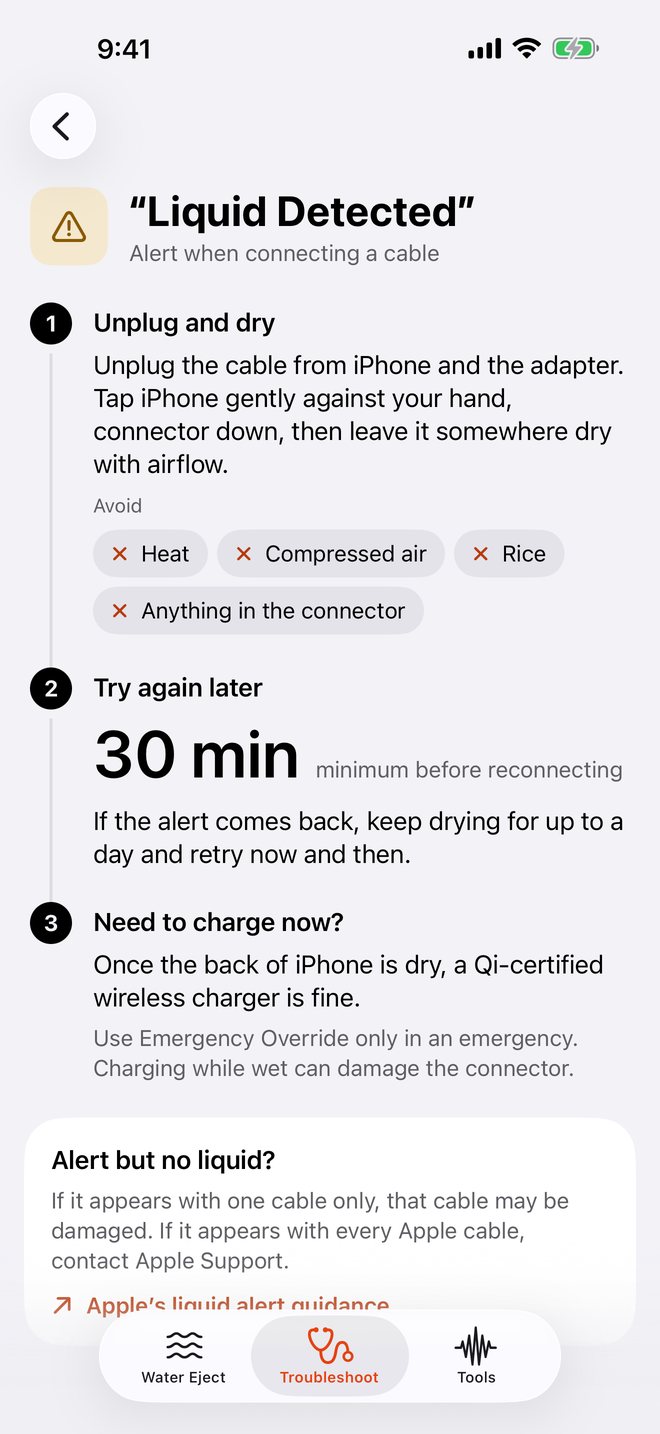
What the alert means, how long to wait before plugging in, when wireless charging is fine, and what to avoid: heat, compressed air and rice.

Microphone test Pro

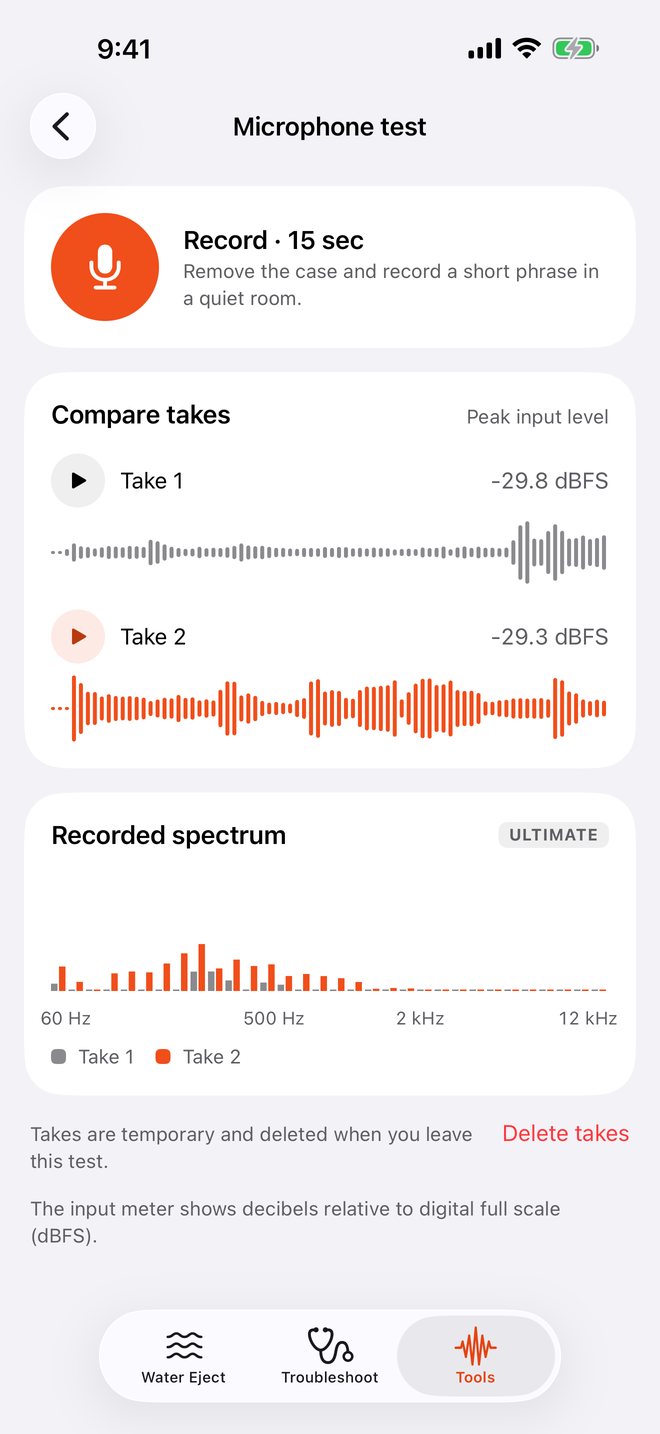
Record two short takes and play them back to back, with peak levels and waveforms. Ultimate adds frequency spectra.

Tone generator Pro

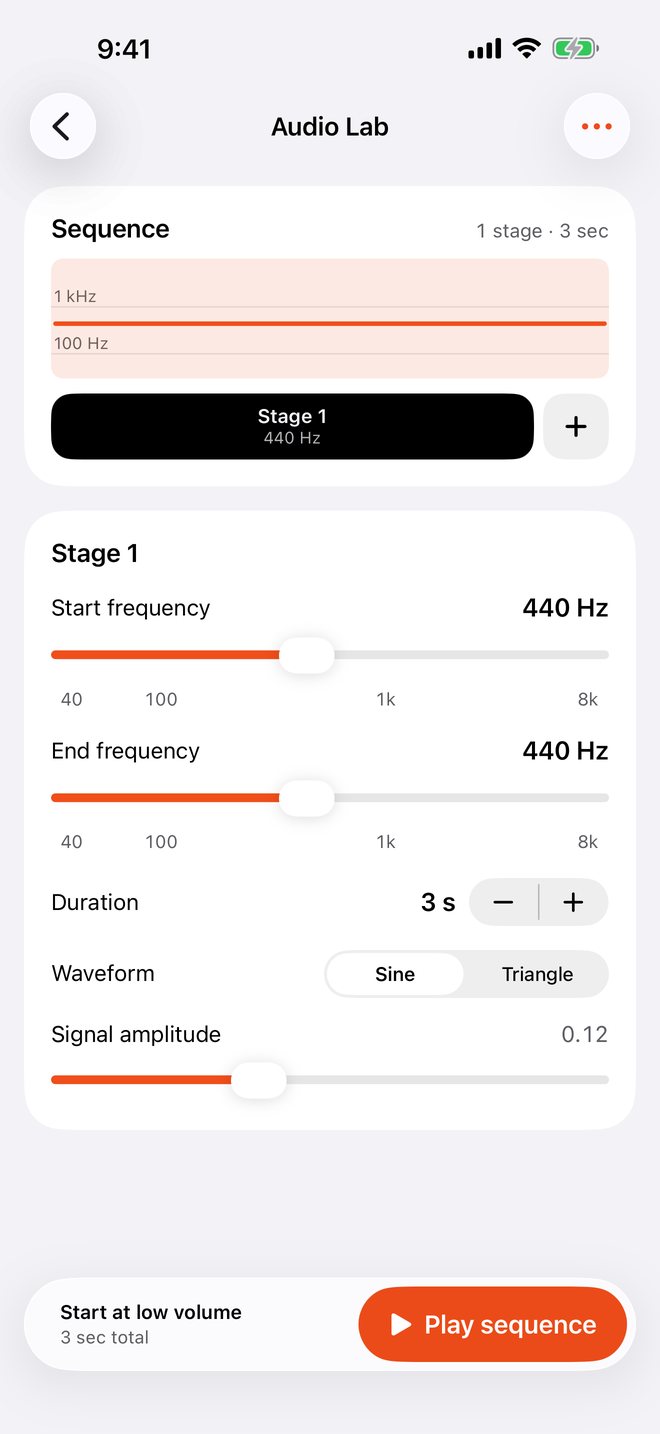
Audio Lab builds your own test tones from 40 Hz to 8 kHz. Bass, midrange and treble checks, stereo and frequency sweeps.

See it on iPhone

Clear controls, honest guidance, and nothing between you and the Start button.
Water Eject mid-run
Free Water Eject
Speaker test with Clear sound selected
Speaker test
List of speaker problems to troubleshoot
Fix muffled or quiet sound
Liquid Detected alert guide
“Liquid Detected” help
Microphone test comparing two takes
Microphone test · Pro
Audio Lab tone generator
Tone generator · Pro
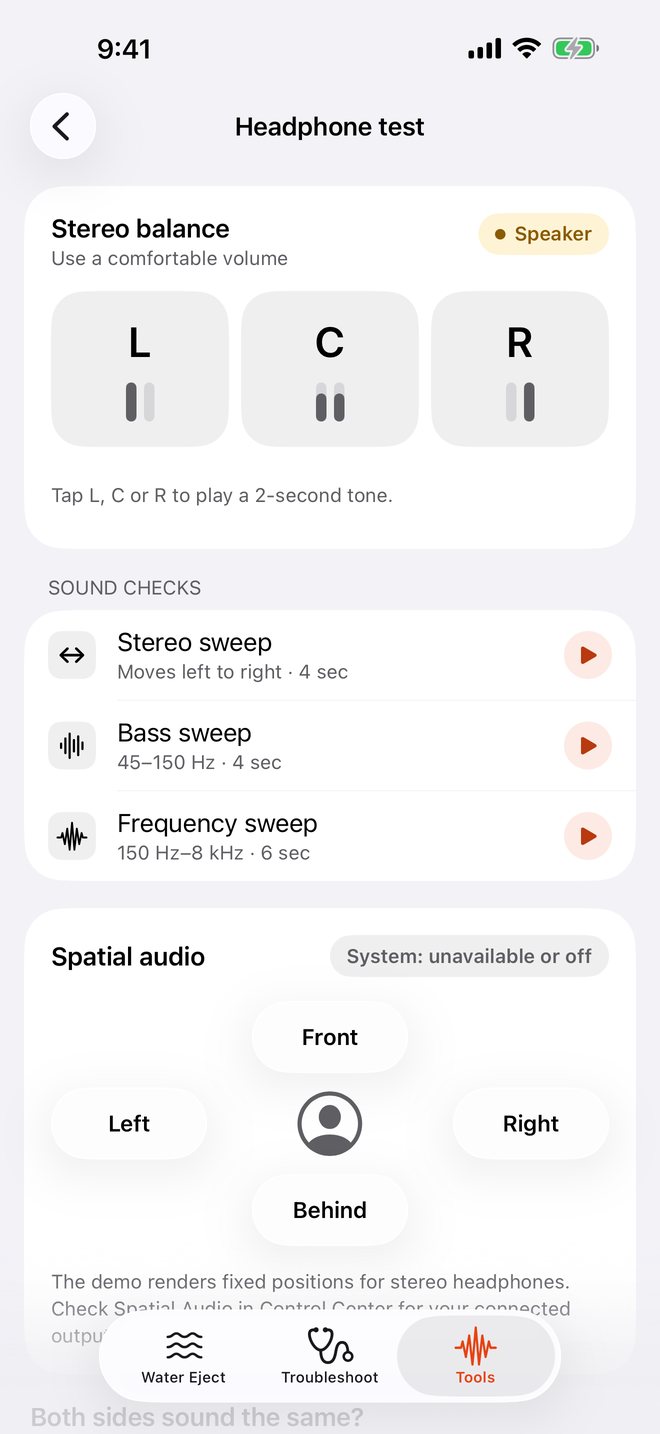
Headphone left, center and right checks
Stereo & bass checks

How to use it

  1. Hold iPhone speaker-down, away from your ears, and select the iPhone speaker in Control Center.
  2. Run Water Eject at a comfortable volume. Standard takes 12 seconds, Gentle 8.
  3. Test the sound. Still muffled? Run it again, up to three times, then let iPhone air-dry with the connector facing down.

Sound can help clear the speaker grille. It can’t confirm that iPhone is dry or repair damage.

Pay once, if you want more

  • FreeWater Eject, speaker test, headphone check, troubleshooting and “Liquid Detected” help.
  • ProMicrophone test, tone generator, bass, midrange and treble checks, stereo and frequency sweeps. One-time purchase.
  • UltimateEverything in Pro, plus recording spectra, multi-stage sequences, saved setups and session export. One-time purchase.

No subscriptions. Prices are shown in the App Store for your country.

Private by default

  • Recordings stay on your iPhone. Microphone takes are temporary and deleted when you leave the test.
  • No account, no ads, no tracking. Session history stays on your device.
  • Usage sharing is optional. Off until you choose to share, and you can turn it off any time in Settings.

Read the privacy policy